
15645 Database systems: Relational Model and SQL
Lec 1 Relational Model
Terminology
A database management system (DBMS) is software that allows applications to store and analyze information in a database, and it should support the definition. creation, querying, update, and administration of databases in accordance with some data model.’
A data model is a collection of concepts for describing the data in a database. (e.g. relationship or documentation)
A schema is a description of a particular collection of data, using a given data model. (e.g. table structure design)
A relation is an unordered set that contain the relationship of attributes that represent entities. (e.g. table or container)
A tuple is a set of attribute values (aka its domain) in the relation. (e.g. data entry in the table)
DBMS can auto-generation unique primary keys via an identity column:
IDENTITY (SQL Standard)
SEQUENCE (PostgreSQL / Oracle) Globally, others are bind with column
AUTO_INCREMENT (MySQL)
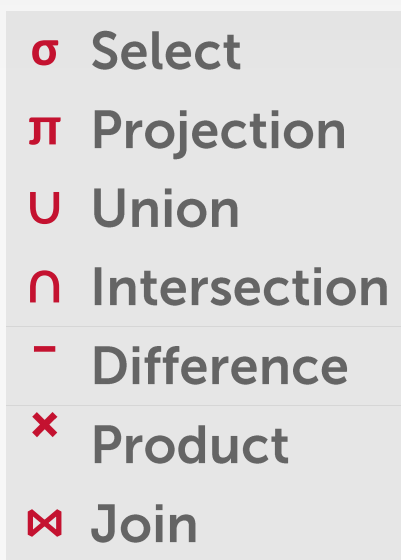
Relational Algebra
Lec 2 Modern SQL
SQL is based on bags (duplicates, like multisite) not sets (no duplicates).
Terminologies:
- Data Manipulation Language (DML)
- Data Definition Language (DDL)
- Data Control Language (DCL)
Execution order:
1 | FROM / JOIN |
Aggregates
Functions that return a single value from a bag of tuples:
- AVG(col)→ Return the average col value.
- MIN(col)→ Return minimum col value.
- MAX(col)→ Return maximum col value.
- SUM(col)→ Return sum of values in col.
- COUNT(col)→ Return # of values for col.
COUNT(*) counts rows, COUNT(1) counts a constant value per row (which is never NULL), so they are equivalent; only COUNT(column) can differ because it ignores NULLs.
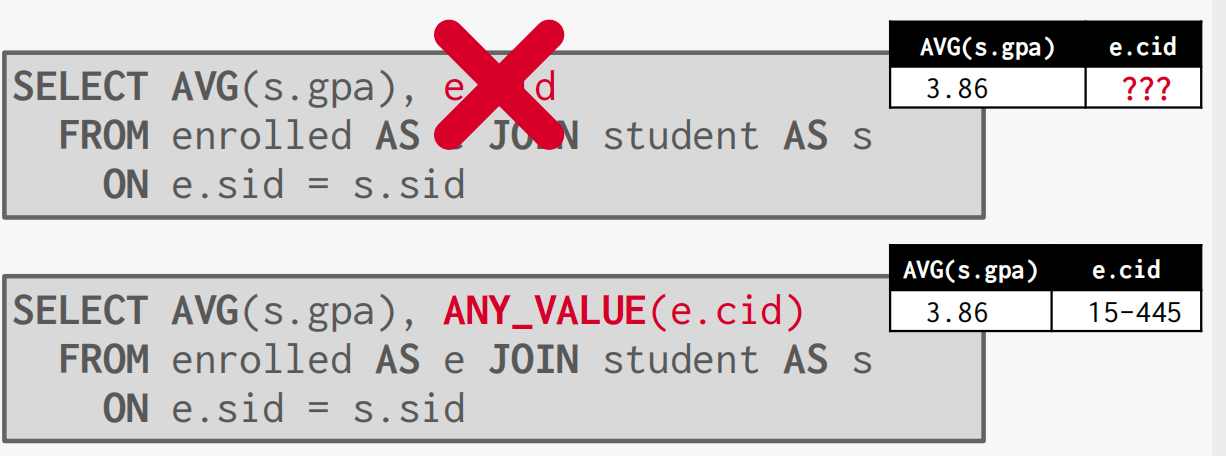
In the above picture, the AVG(s.gpa) is only a single value, but e.cid may have multiple values, so the DB don’t know how to choose a value for the column, we should use ANY_VALUE() to explicitly tell DB how to choose.
Group By
Project tuples into subsets and calculate aggregates against each subset
Group by happlens after FROM/JOIN/WHERE but before the aggregate function.
Grouping Sets
Specify multiple groupings in a single query instead of using UNION ALL to combine the results of several individual GROUP BY queries.
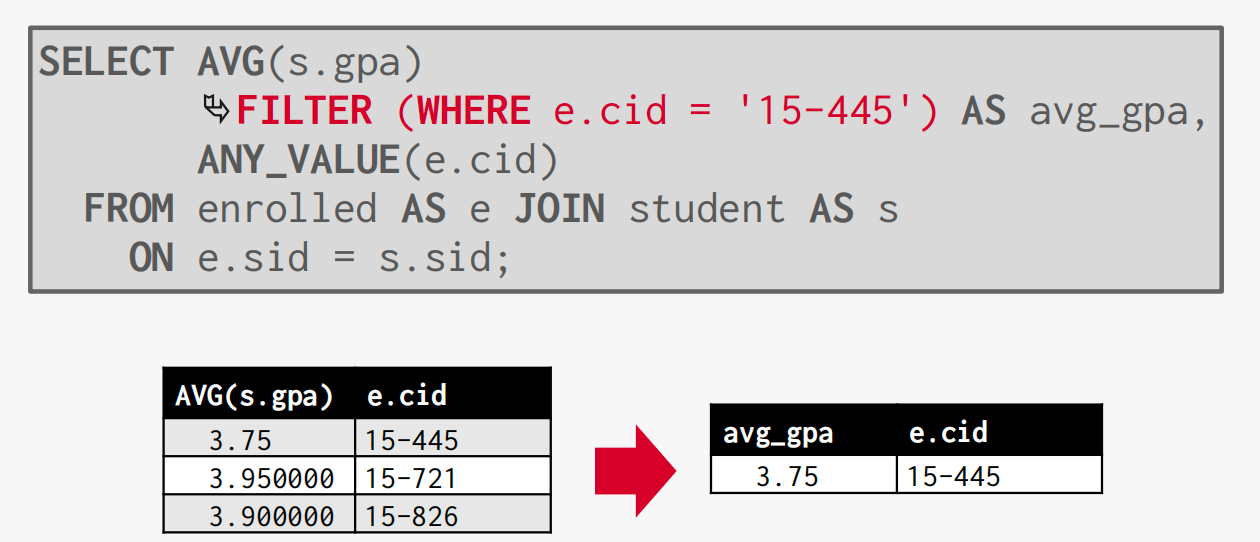
Filter
Qualify results pre aggregation computation. Aggregation group membership qualifier.
Having
Filters results post-aggregation computation.
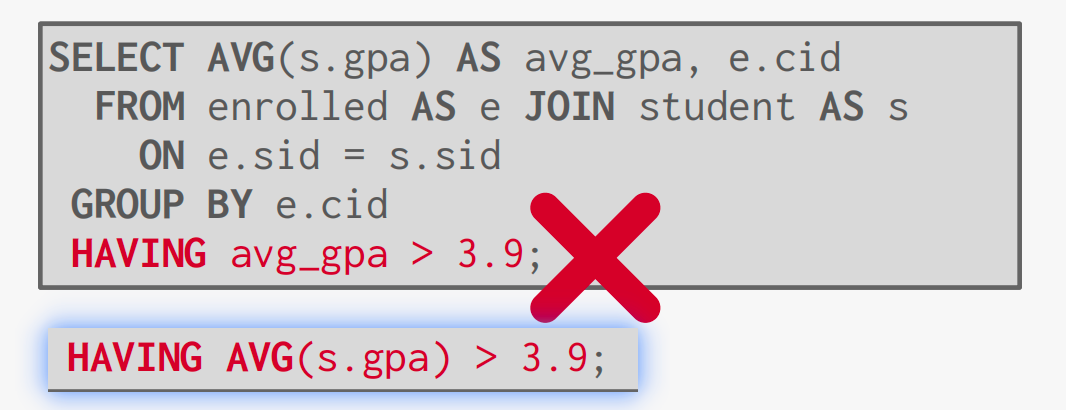
This indicats that having happens before the select, so the name avg_gpa is not generated yet.
String Operations
- LIKE provides string matching with special match
operators:
- ‘%’ Matches any substring (including empty strings)
- ’_’ Match any one character
- SIMILAR TO allows for regular expression matching
- In the SQL standard but not all systems support it
- Other systems also support POSIX-style regular expressions
- SUBSTRING
- UPPER
- || : concatenate two or more strings(this could also be + or CONCAT() function)
Date/Time Operations
Date/time operations manipulate temporal values and are DBMS-specific in syntax and behavior.
Output Control
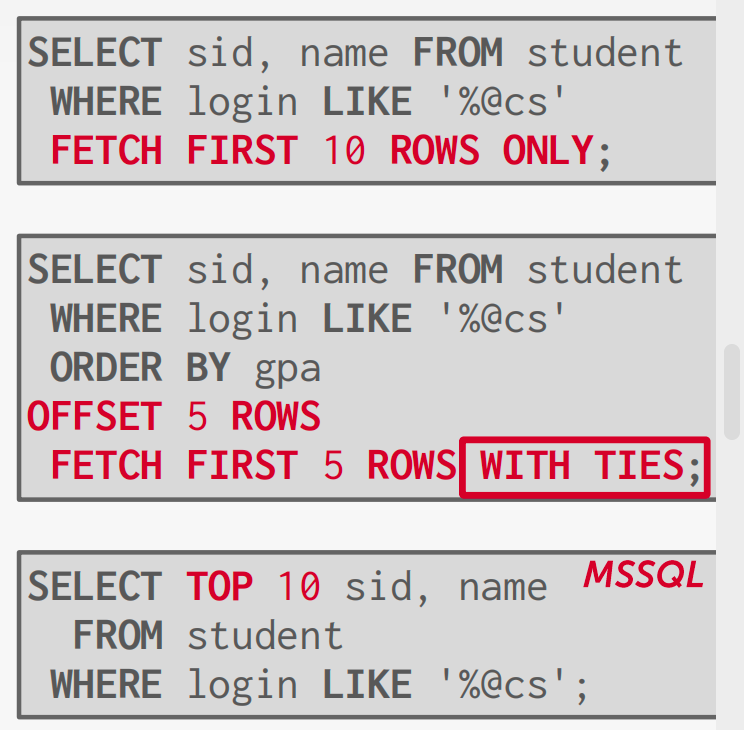
Output control clauses determine the order and the number of rows returned by a query.
- ORDER BY: ORDER BY column [ASC | DESC] Sort tuples by the values in one or more of their columns
- FETCH: FETCH {FIRST|NEXT} <#> ROWS OFFSET
<#> ROWS
- Limit # of tuples returned in output
- Can set an offset to return a “range”
Output Redirection
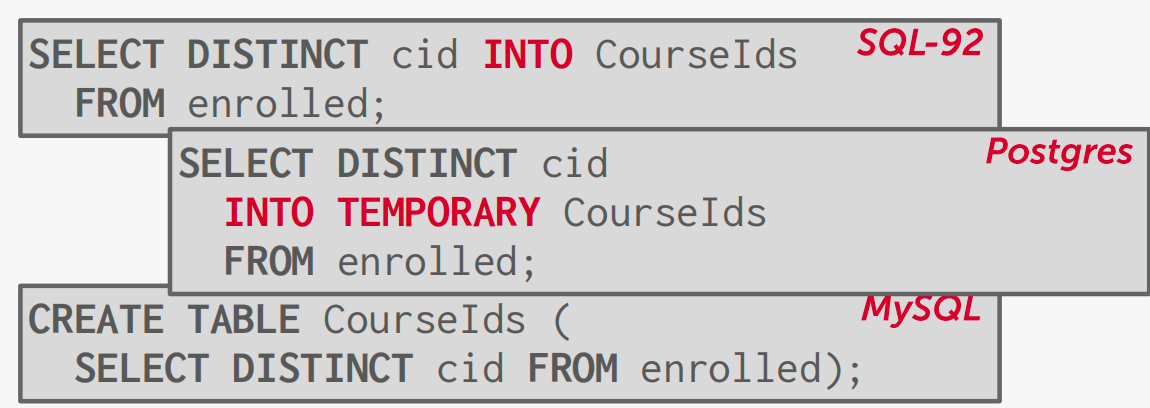
Store query results in another table:
- Table must not already be defined
- Table will have the same # of columns with the same types as the input
Nested Queries
Invoke a query inside of another query to compose more complex computations:
Innter queries can appear almost anywhere in query
- ALL: The expression must be true for all rows in the sub-query.
- ANY: The expression must be true for at least one row in the sub-query.
- IN: Equivalent to ‘=ANY()’ .
- EXISTS: At least one row is returned without comparing it to an attribute in outer query
Lateral Joins
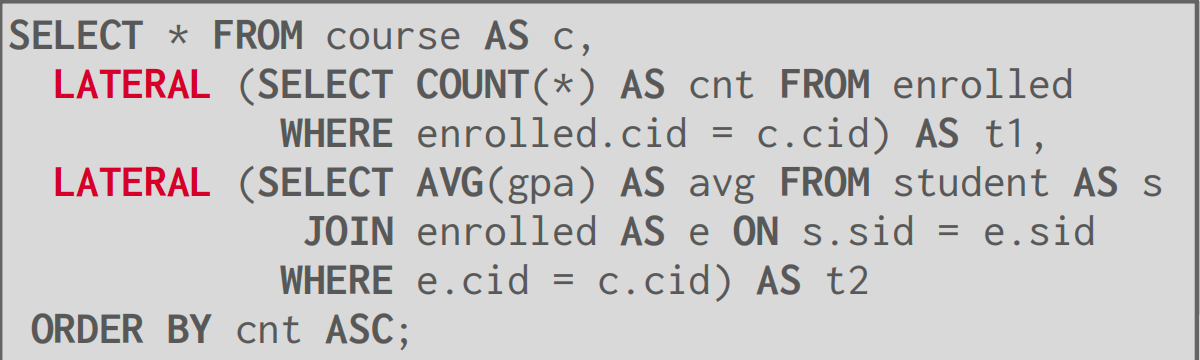
The lateral operator allows a nested query to reference attributes in other nested queries that preced it (according to postition in the query)
Common Table Expression
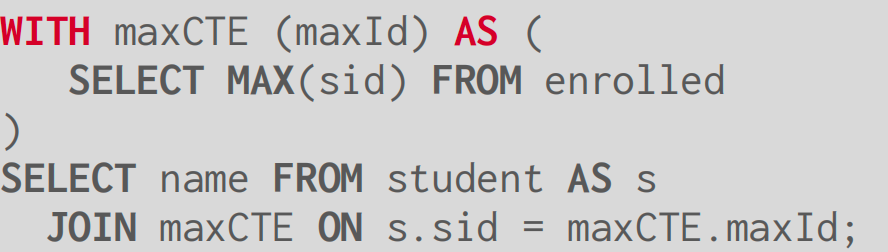
Specify a temporary result set that can then be referenced by another part of that query.
Window Functions
Performs a calculation across a set of tuples that are related to current tuple, without collapsing them into a single output tuple, to support running totals, ranks, and moving averages.
Special window functions:
- ROW_NUMBER() # of the current row
- RANK() Order position of the current
The OVER keyword specifies how to group together tuples when computing the window function.
Use PARTITION BY to specify group

