Git Introduction
Git Introduction
Based on Tsinghua University’s summer training for some hands-on practice, referencing the book Pro Git.
Also recommend a quick start website that can better enhance understanding of branches.
What is Git?
Git is an open-source distributed version control system for agile and efficient project handling.
Version Control
Can easily restore things in the repository to the previous commit.
Principle: Uses snapshots for version control.
Distributed
My understanding is that multiple people on multiple hosts can work on the same development at different times and spaces without affecting each other, and finally submit uniformly.
Basic Principles
Divided into working directory, staging area, and version library. There is a .git file in the folder, which contains the staging area and version library, while the area outside .git is the working directory.
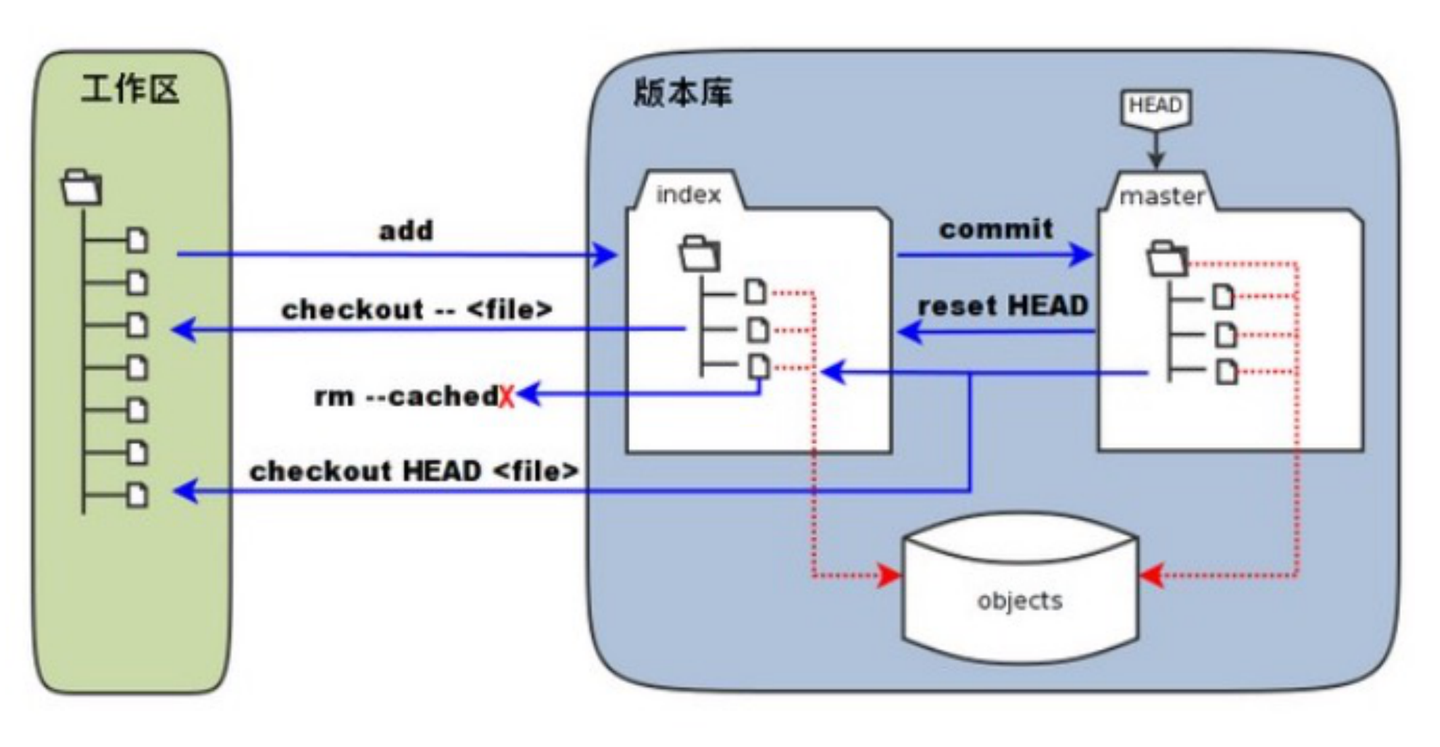
Case Demonstration
First, use the command line to enter the current folder.
Need to initialize the current folder to create an empty repository, using the command:
1 | git init |

Add the required files to the staging area:
1 | git add <filename> |
Commit files in the staging area to the version library:
1 | git commit |
==At this time, the default editor will usually pop up, requiring a description of this commit. Usually, unified standards are needed, written clearly and in detail.==

Some Common Commands
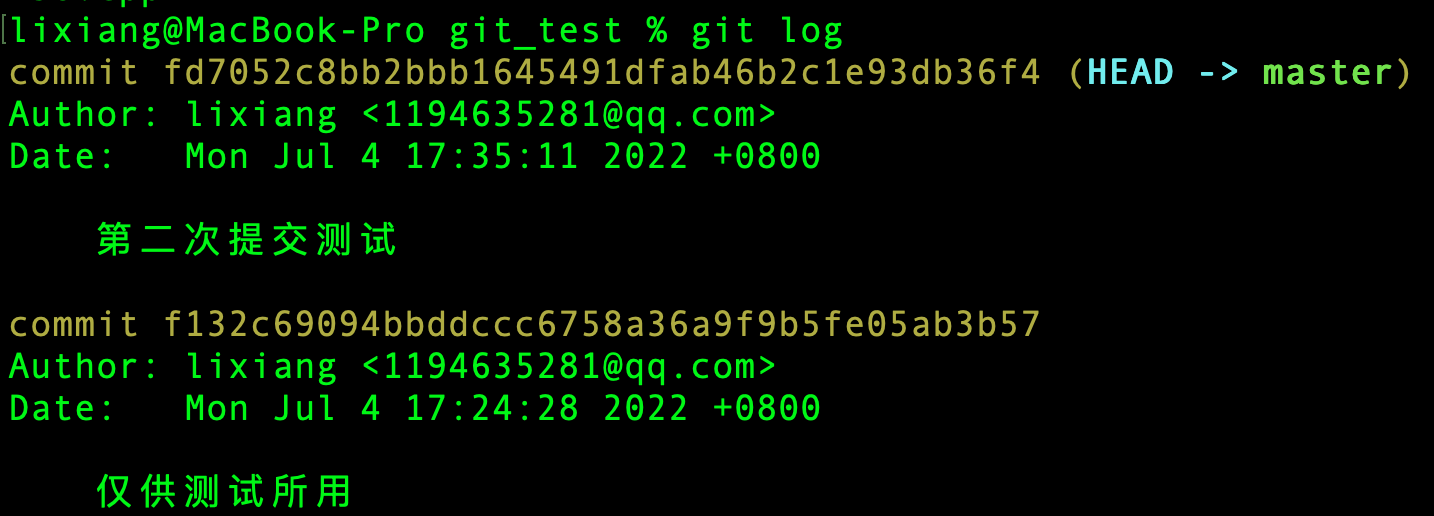
View commit logs:
1 | git log |
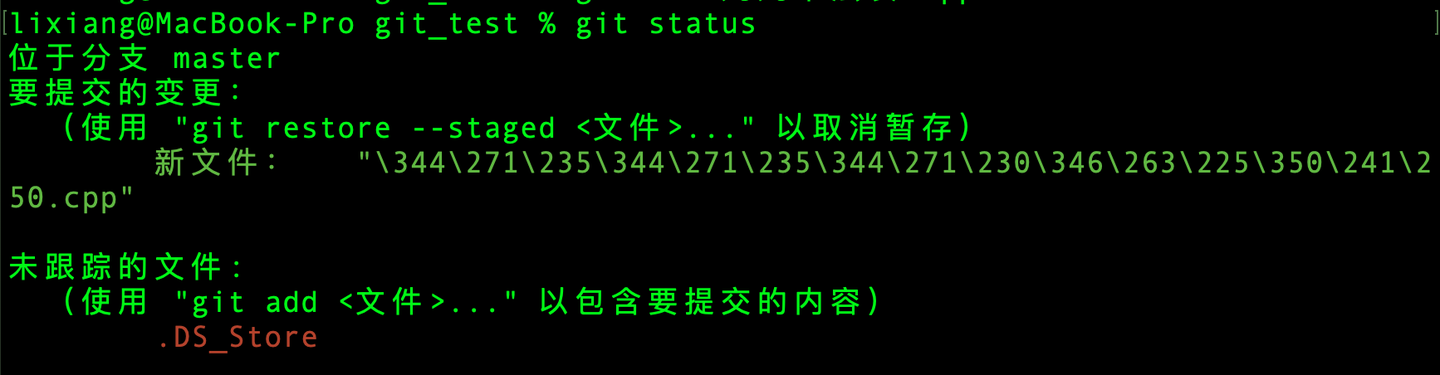
View git status, i.e., files in the staging area.
1 | git status |
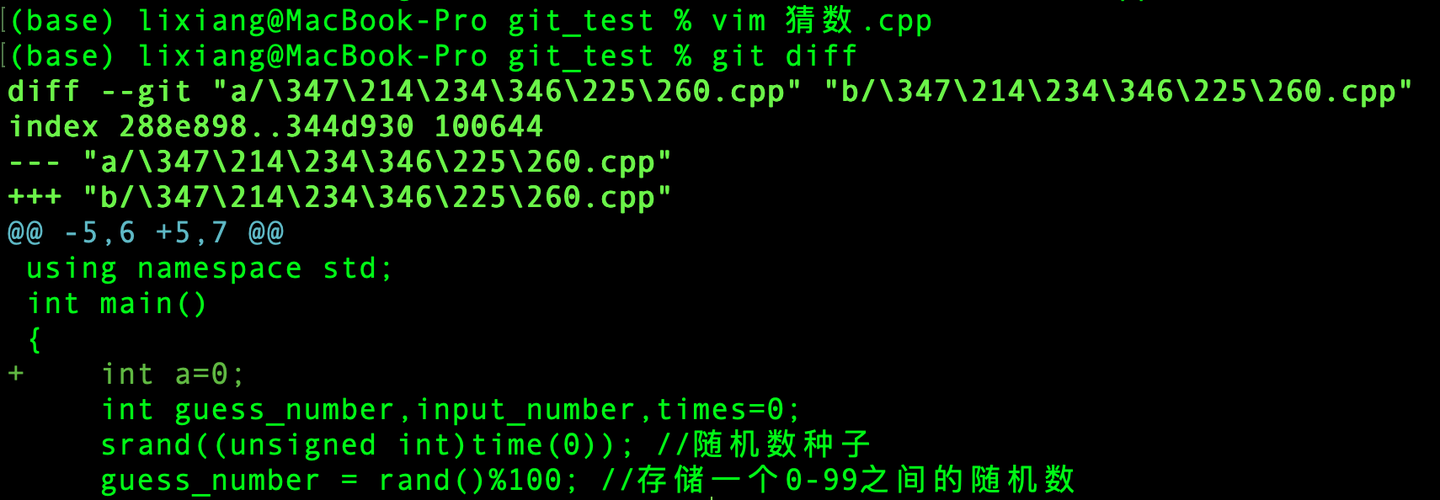
Compare working directory files with the last commit and output the differences.
1 | git diff |
Branches and Remote Operations
See the website tutorial at the beginning of the article, which is vivid and natural and impressive.